


rtificial intelligence tools are changing the way we work with information. However, many people use these tools only for basic tasks such as summarizing texts or answering simple questions. Advanced platforms like NotebookLM allow for a much deeper and more strategic use of information.
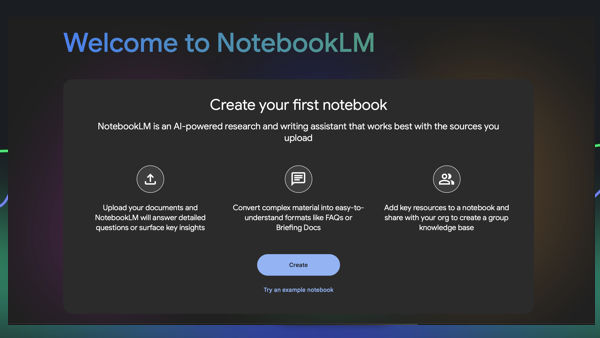
NotebookLM is a tool designed to work with personal documents. Unlike other artificial intelligence assistants, it does not primarily depend on general Internet knowledge, but on the sources uploaded by the user. This makes it possible to transform documents, meetings, research, or scattered content into organized and usable knowledge.
This article explains ten practical and lesser-known uses of NotebookLM that can improve productivity, learning, and decision-making in professional and academic environments.
1. The Debate Trainer
One of the most interesting uses of NotebookLM is using it as a debate or critical thinking simulator. Instead of asking for direct answers, you can upload a document with a proposal or idea and request the tool to act as a demanding critic.
For example, after uploading a business plan or project proposal, you can ask:
- Act as a skeptical investorNote#
- Find the three most important flaws
- Identify the weak points in the argument
This approach forces ideas to be examined from opposing perspectives and helps detect logical weaknesses before presenting them to clients, partners, or investors.
NotebookLM thus becomes a tool for intellectual validation, not just content generation.
2. Turning Videos into Podcasts
Another especially useful function is transforming visual content into audio content. NotebookLM can analyze the content of a YouTube video and generate a narrated summary using the Audio Overview feature.
The process is simple:
- Paste the video URL
- Generate the Audio Overview
- Listen to the summary in podcast format
This allows you to use idle time such as commuting or exercising to consume relevant information without needing to look at a screen.
For students and professionals who consume large amounts of information, this feature significantly reduces the time required to stay updated.
3. From Meetings to Action Plans
Many meetings produce large amounts of information that are later lost or remain unorganized. NotebookLM allows meeting transcripts to be converted into clear action plans.
After uploading the full transcript of a meeting, you can request a table containing key information:
- Responsible person
- Task
- Deadline
This transforms unstructured conversations into executable documents.
This use is especially useful in work teams where decisions are made verbally but require structured follow-up.
4. Cross-Referencing Sources
NotebookLM allows multiple sources to be analyzed simultaneously and relationships between them to be identified.
For example, you can upload:
- A sales report
- Internal customer data
- Campaign results
You can then ask the tool to find hidden correlations between the documents.
This approach makes it possible to discover patterns that are not evident when documents are analyzed separately.
The main value of this function is that it transforms isolated information into integrated knowledge.
5. Cultural Translation
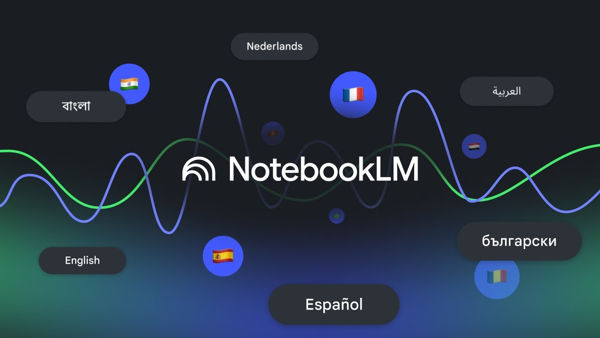
NotebookLM can be used to explain complex documents in simple and culturally adapted terms.
For example, after uploading an academic paper in English, you can ask:
- Explain in Spanish
- Use simple analogies
- Relate concepts to everyday examples
This makes it possible to understand technical texts without specialized training.
Cultural translation is different from literal translation. The goal is not to change the language word by word, but to adapt the ideas so they are understandable in another context.
6. Instant Onboarding
Onboarding new employees usually requires significant time because it involves explaining processes, rules, and organizational culture.
NotebookLM allows this process to be accelerated by uploading documents such as:
- Procedure manuals
- Internal guides
- Process documentation
- Company policies
Once uploaded, new employees can ask questions directly about these documents.
This reduces dependence on supervisors and allows new team members to learn at their own pace.
The result is a faster and more consistent integration process.
7. The Style Synthesizer
NotebookLM can analyze several texts written by the same person and learn stylistic patterns.
For example, you can upload five of your own articles and request a new text that imitates:
- Structure
- Tone
- Length
- Organization of ideas
This makes it possible to maintain consistency in publications, corporate content, or professional communications.
Instead of producing generic text, the tool can generate content aligned with the identity of the author or brand.
8. Coding with Real Context
One of the most common problems when generating code with artificial intelligence is the lack of specific context.
NotebookLM allows this problem to be solved by uploading concrete technical documentation before requesting code.
For example:
- API documentation
- Internal specifications
- Technical manuals
You can then request code based only on those sources.
This reduces errors and increases technical accuracy.
The result is code better aligned with the real environment where it will be used.
9. The Socratic Teacher
NotebookLM can also be used as an active learning tool.
After uploading notes or study materials, you can request questions instead of answers.
For example:
- Create exam-style questions
- Do not provide the answers
- Evaluate comprehension
This method forces active thinking and improves information retention.
Learning through questions is often more effective than passive reading.
NotebookLM can function as a personalized tutor available at any time.
10. The Idea Refinery
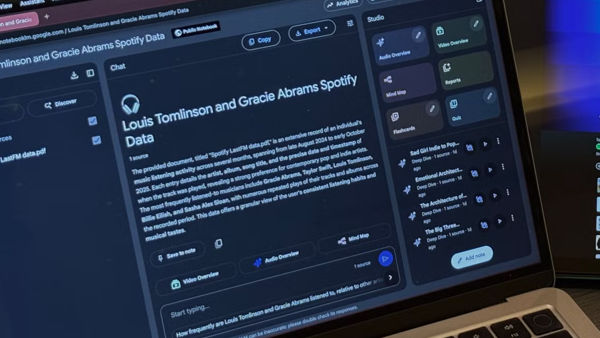
Another advanced use is employing NotebookLM as an intellectual refinement tool.
You can begin by generating an Audio Overview from a set of documents.
The process then continues:
- Download the audio
- Transcribe the content
- Upload the transcript as a new source
You can then request expanded ideas, improved arguments, or deeper analysis.
This process turns initial ideas into more developed analyses.
It is especially useful for researchers, content creators, and professionals who work with complex ideas.
A New Model for Working with Knowledge
These ten uses show that NotebookLM is not just a question-and-answer tool. It is a system designed to work with structured knowledge.
Instead of searching for quick answers, it allows the construction of a personalized information environment.
The difference is important. While other tools answer general questions, NotebookLM responds based on real user documents.
This reduces errors and increases the reliability of responses.
The Real Value of Working with Your Own Sources
The main value of NotebookLM is that it allows scattered documents to be transformed into an accessible knowledge system.
Reports, notes, meetings, and articles can be integrated into a single environment.
This allows you to:
- Find information quickly
- Relate documents
- Detect patterns
- Make better decisions
In professional environments where information is abundant but fragmented, this capability can make a significant difference.
NotebookLM represents an important evolution in the practical use of artificial intelligence. Instead of simply generating text, it allows users to work directly with real knowledge.
The ten methods described show that its true potential appears when it is used as a tool for analysis, learning, and organization.
As the volume of information continues to grow, tools capable of transforming documents into structured knowledge will become increasingly important.
NotebookLM does not replace human thinking, but it can become a powerful extension of the ability to analyze, understand, and use complex information.
The greatest benefit is not in automating simple tasks, but in improving how people work with ideas.